Two different numbers follow every garment. The retail price is what your client pays you. The cost is what you pay us for that same garment. This article is about the second one, where to read it, and why it changes shape once the item is ordered.
Who can see it
Users marked Brand master or Brand Store Manager. A sales user sees the retail price and no cost at all, so you can leave the builder open in front of a client without showing what you pay.
While you are building: the estimate
In the builder, the footer carries the retail price on the left and a Cost Details link next to it. Open it and you get one line per charge the garment carries so far.
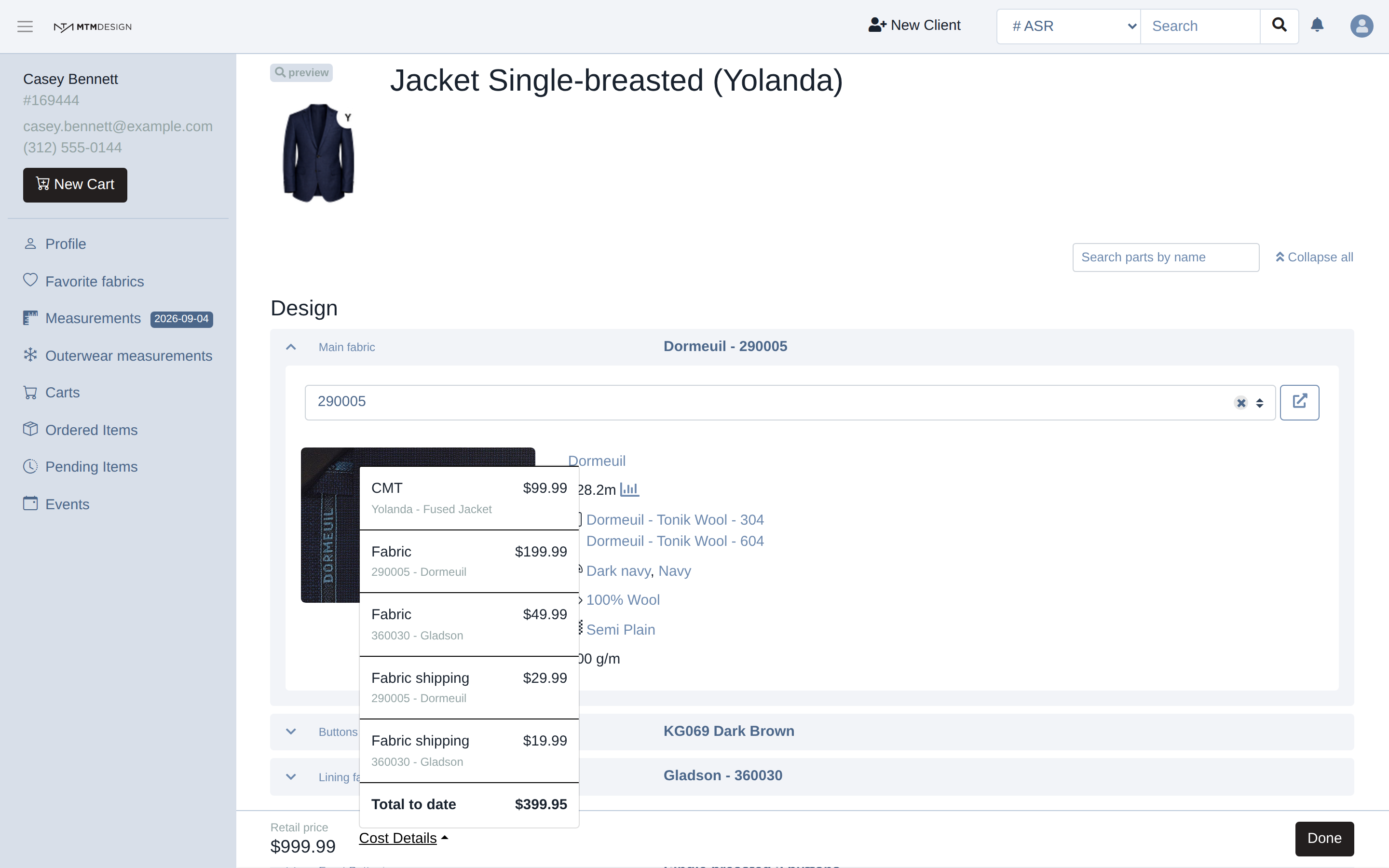
On a jacket that is the making of the garment, the cloth and the lining, and the shipping of each of them. A garment with contrasts or priced options carries a line for each of those too, which is why two jackets of the same model can cost you different amounts.
The bottom line says Total to date, not total. Some charges are only known later: customs, the transport of the finished garments, a rush fee if you ask for one. They are not missing, they simply do not exist yet.
While the item is still open, the amounts follow it. Change the fabric, add a priced option, and the lines change with the garment. This is the number to look at when a client asks you to add something and you want to know what it costs you before you say yes.
After the order: the same charges, no longer moving
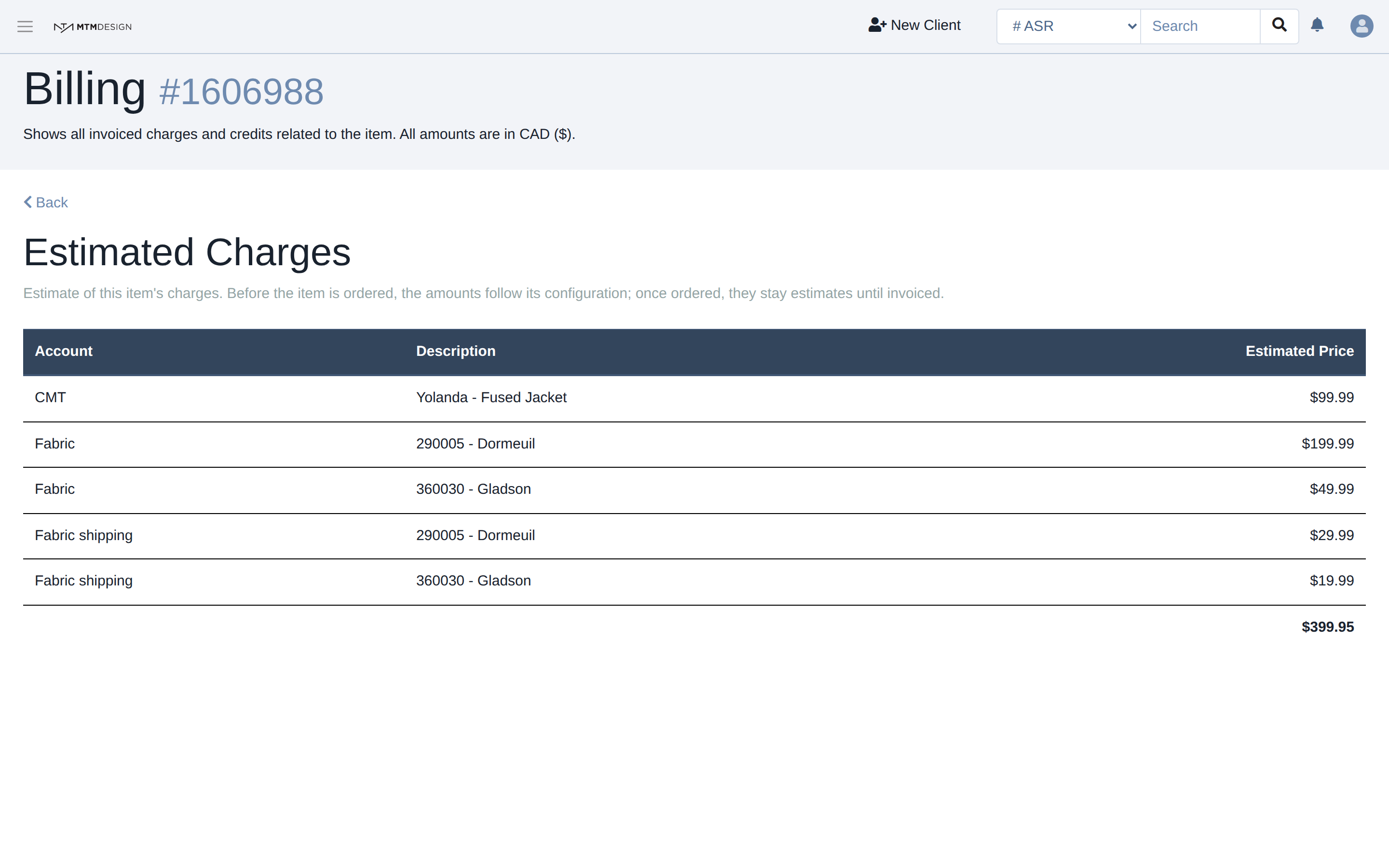
Once the item is ordered, the builder stops showing the cost, because there is nothing left to follow. The item's own page takes over: open the item and click Billing Details.
Until we invoice, the charges sit there as Estimated Charges. They are the same amounts, they just have not been billed yet.
After the invoice: fixed, and named
When the item is invoiced, each charge names the invoice it went on, and the amount stops being an estimate.
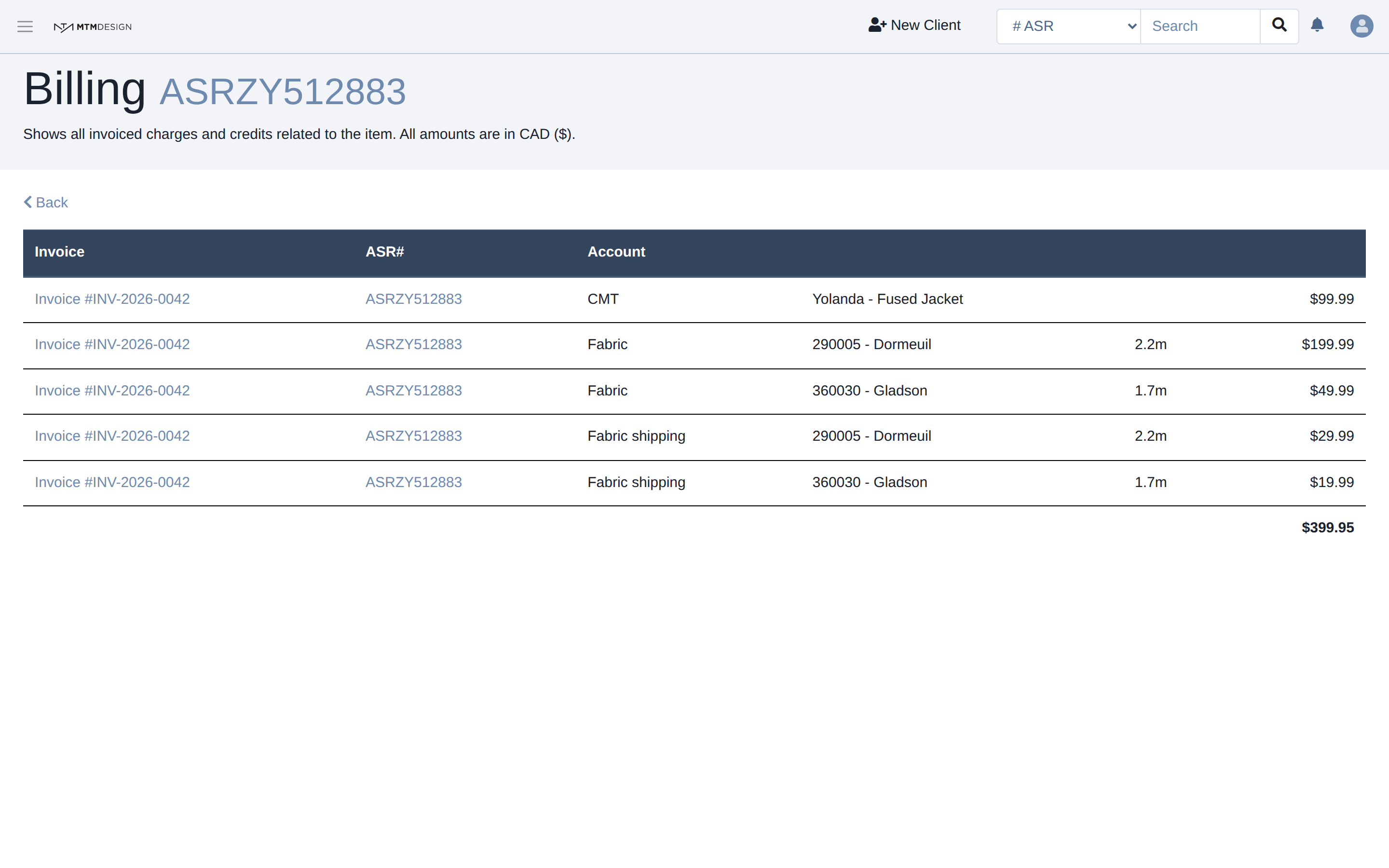
From then on nothing on that line moves. If something has to change after that, it is not corrected in place: we raise a separate line, and it appears on this page under its own account, which is why an item can carry a charge and a credit for the same thing.
The page also collects everything that arrived after production: customs where it applies, the transport of the shipment, a rush fee, a credit for a remake or for quality. That is why an item's cost is only complete once it has been delivered and invoiced, and why the builder is careful to say to date.
Reading the lines
CMT is the making of the garment, the maker's price for cutting and sewing it. Fabric is the fabric itself, with the length used. Fabric shipping is what it costs to bring that fabric to the maker. Customs and Transportation arrive later, after the shipment.
Every amount on the page is in your store's currency, and the page says so under the title.
If you see nothing
Some brands are not invoiced through the Studio, and some ask us to hide prices in the builder. In both cases there is no cost to show and the link is not there. If you think that is wrong for your store, write to us and we will check how your brand is set up.
Was this article helpful?
That’s Great!
Thank you for your feedback
Sorry! We couldn't be helpful
Thank you for your feedback
Feedback sent
We appreciate your effort and will try to fix the article