You can now order spare or replacement buttons directly in the Studio. You don’t need to email us anymore.
1. Open the Buttons item
Go to Accessories and tailorshop and select Buttons.
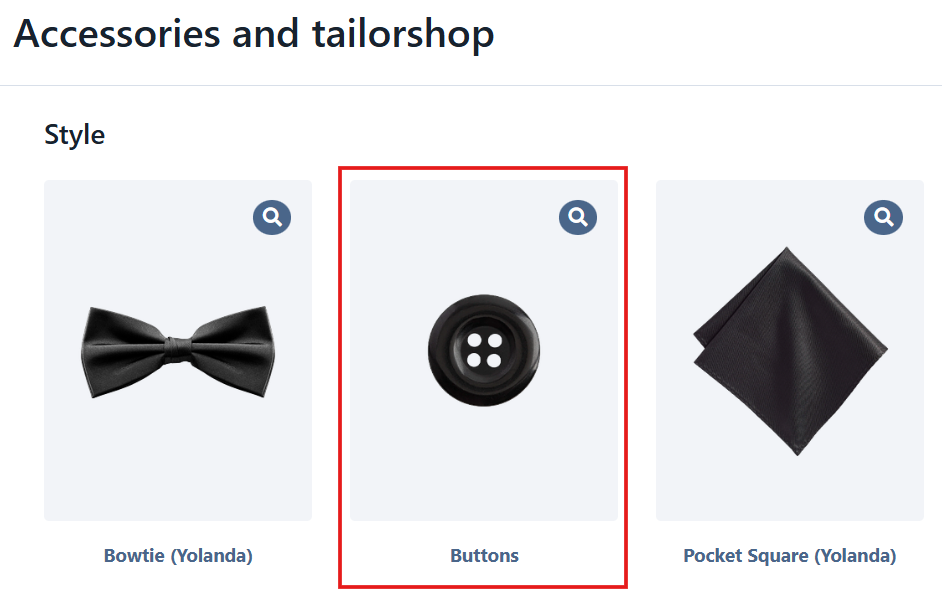
2. Choose the button code and size
Use the dropdown to find your button. Each option shows the button code followed by its size, for example KNJ052-24 or KNJ052-32. Pick the one you need and add it to the cart.
Add image here
3. Add one line per size
Need more than one size, like larger buttons for the jacket front and smaller ones for the sleeves and vest? Add each size to the cart as a separate line.
4. Set the quantity
In the cart, use the + and − buttons on each line to set how many buttons you need.
Example: 2 × KNJ052-32 for the jacket front and 10 × KNJ052-24 for the sleeves and vest.
5. Order under the right client
Whenever you can, place the order under the client who will use the buttons. For spare buttons that aren’t for a specific client, use your own profile or a team member’s.
Can’t find your button code?
If the code you need isn’t in the dropdown, contact us and we’ll check whether it’s available.
Was this article helpful?
That’s Great!
Thank you for your feedback
Sorry! We couldn't be helpful
Thank you for your feedback
Feedback sent
We appreciate your effort and will try to fix the article