As the tailor works on an alteration, you can keep a record of what was done, by whom, and how long it took. Each of these entries is called a work item. Logging work items is useful to track the effort spent on alterations and to keep a clear history on each item.
Work items are managed from the Edit screen of an alteration, in the Work Items panel on the right.
*** Please note: You can only add work items once the alteration has a tailor shop assigned (see How to assign an alteration to a tailor shop and tailor?).
Adding a work item
From the Alterations page, find the item and click on Edit. In the Work Items panel on the right, click on + Add (see picture below).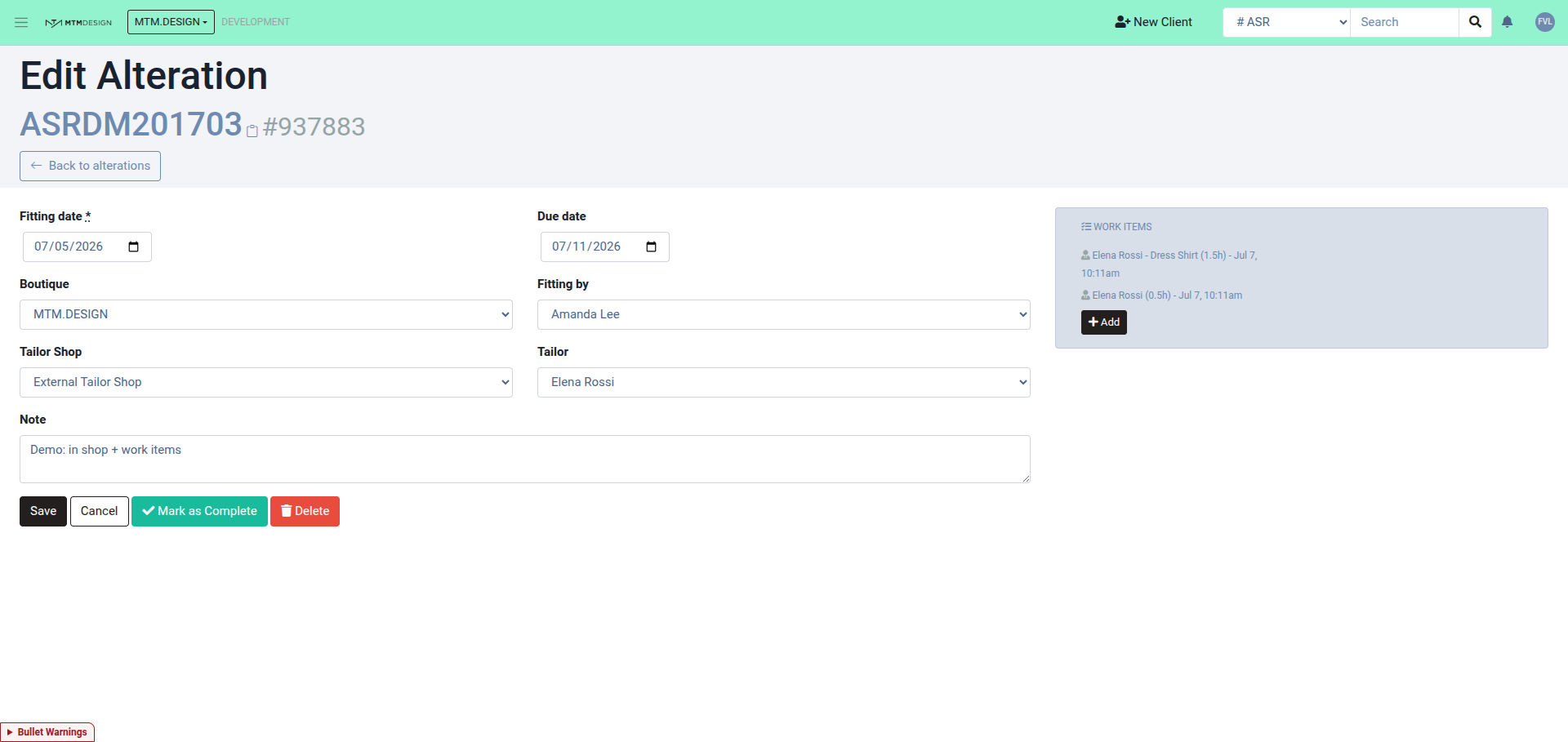
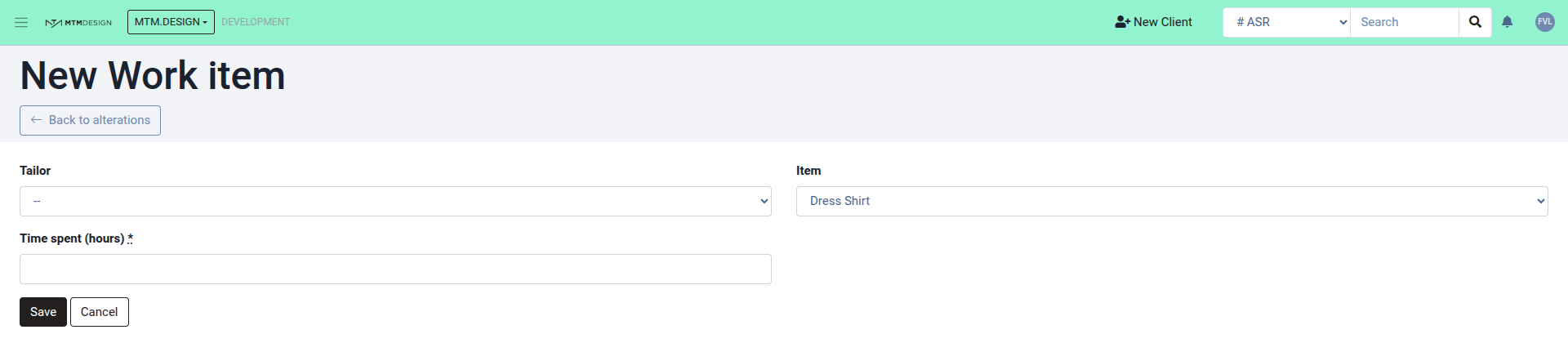
On the form that opens, fill in (see picture below):
- Tailor — the tailor who did the work (only tailors from the alteration's tailor shop are available).
- Item — the piece that was worked on (optional).
- Time spent (hours) — how long the work took, in hours. This field is mandatory and must be greater than 0.
Then click on Save.
Viewing and editing work items
Every work item you add is listed in the Work Items panel, showing the tailor, the piece, the time spent and the date (for example: Elena Rossi - Dress Shirt (1.5h) - Jul 7). Click on any entry to edit or delete it (see the first picture above).
You can add as many work items as needed — for example, one per tailor or one per task.
Was this article helpful?
That’s Great!
Thank you for your feedback
Sorry! We couldn't be helpful
Thank you for your feedback
Feedback sent
We appreciate your effort and will try to fix the article