Before you can sell anything, your client needs a profile. Everything you write here stays in your store, and you can edit it at any time. Each client gets their own profile, so their measurements, carts, orders and invoices all live on one page.
Create the profile
Click New Client at the top of any page.
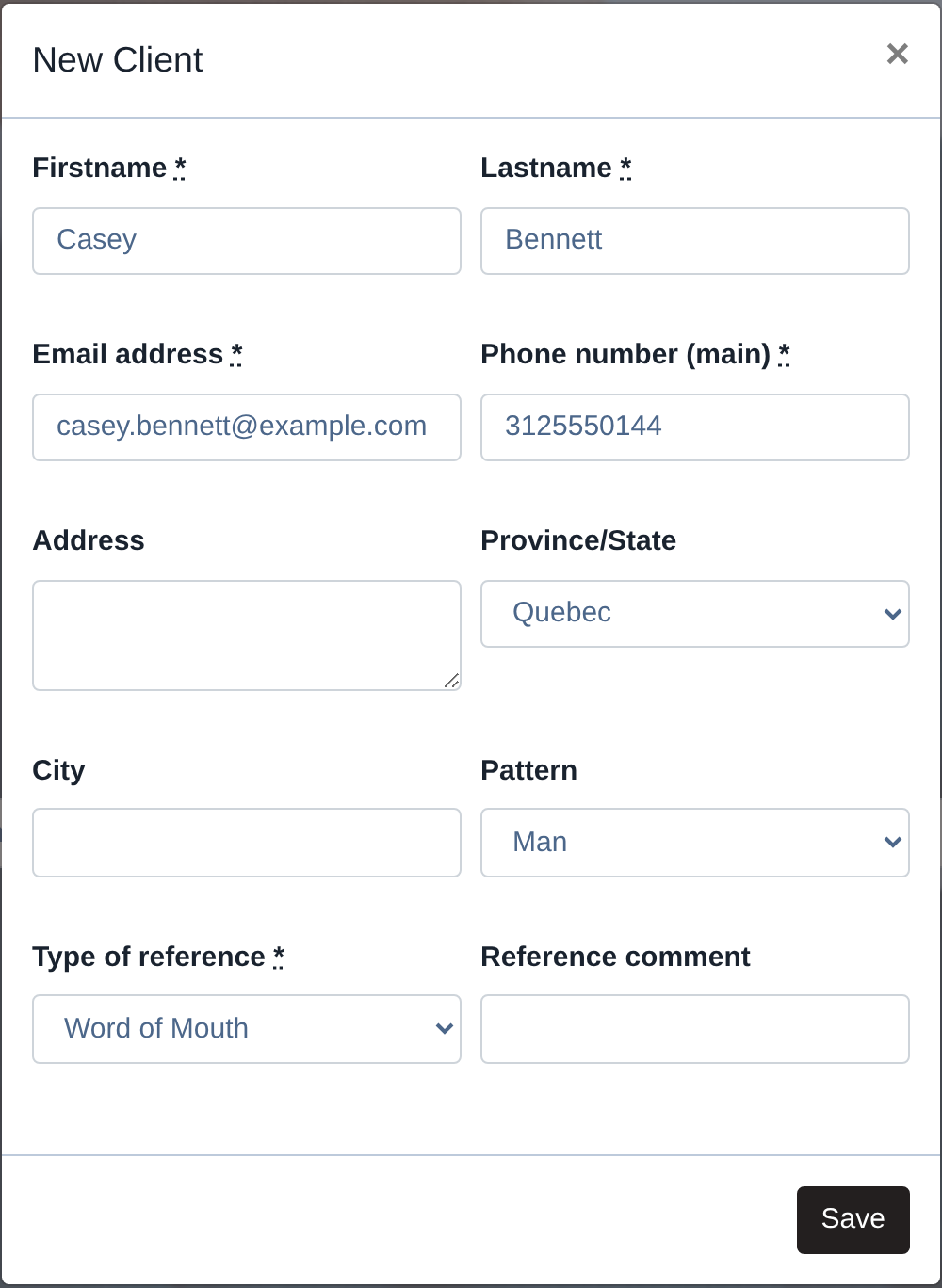
A small window opens. The fields with a star are required: first name, last name, email address, phone number, and the type of reference, which is how the client heard about you. Everything else is optional, and you can add it later.
Two things to know about this window. The email address has to be unique in your brand, so if the client already has a profile, search for them instead of creating a second one. And the newsletter box is checked by default, so uncheck it if your client does not want our monthly emails.
Click Create and the profile opens.
What is on the profile
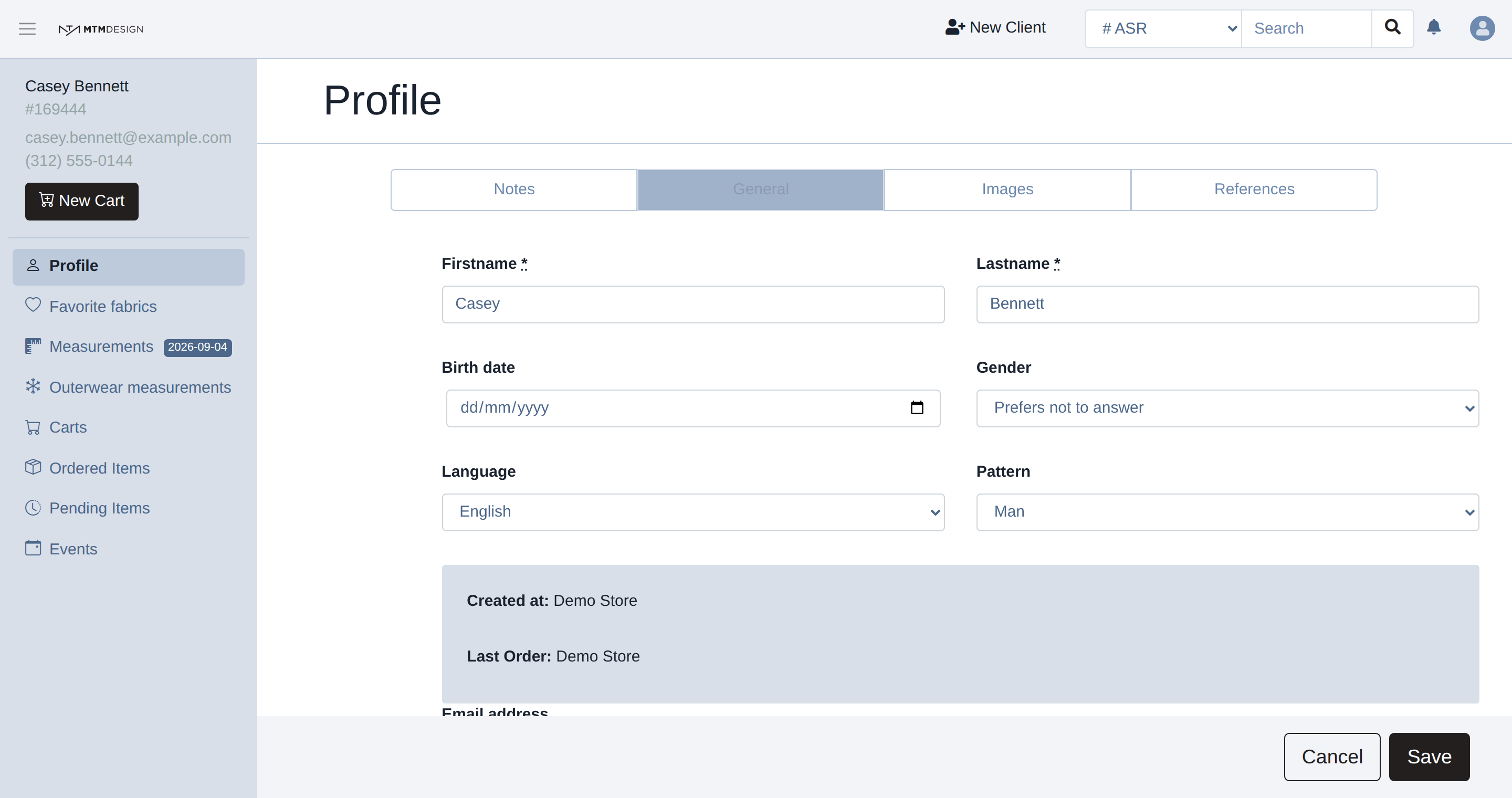
The menu on the left holds everything for this client:
- Profile: name, birth date, language, notes, photos, and how the client found you.
- Favorite fabrics: the fabrics you saved for this client.
- Measurements: the measurements you take, one set per garment.
- Carts: what you are building right now.
- Invoices: what the client owes and what they paid. This one is only there for stores whose brand bills through the Studio.
- Ordered Items and Pending Items: the order history, and what is still in production.
- Communications and Events: messages sent to the client, and dates such as a wedding.
The client number
Every profile gets a number, shown under the client's name in the left menu, and also in the web address of the page. Give us that number when you write to us about a client, because it tells us exactly which profile you mean.
Next step
When your client is ready to buy, click New Cart in the left menu. That is where you build the item.
The next article, How to Create an Item, picks up from there.
Was this article helpful?
That’s Great!
Thank you for your feedback
Sorry! We couldn't be helpful
Thank you for your feedback
Feedback sent
We appreciate your effort and will try to fix the article