When the cart holds everything your client is buying, you place the order. Ordering hands the garments to the maker, so it is the moment the cart stops being a draft.
Choose what to order
Open the cart. Every item is ticked, and the count on the Place order button says how many go out. Untick anything the client is not buying yet, and it stays in the cart for later.
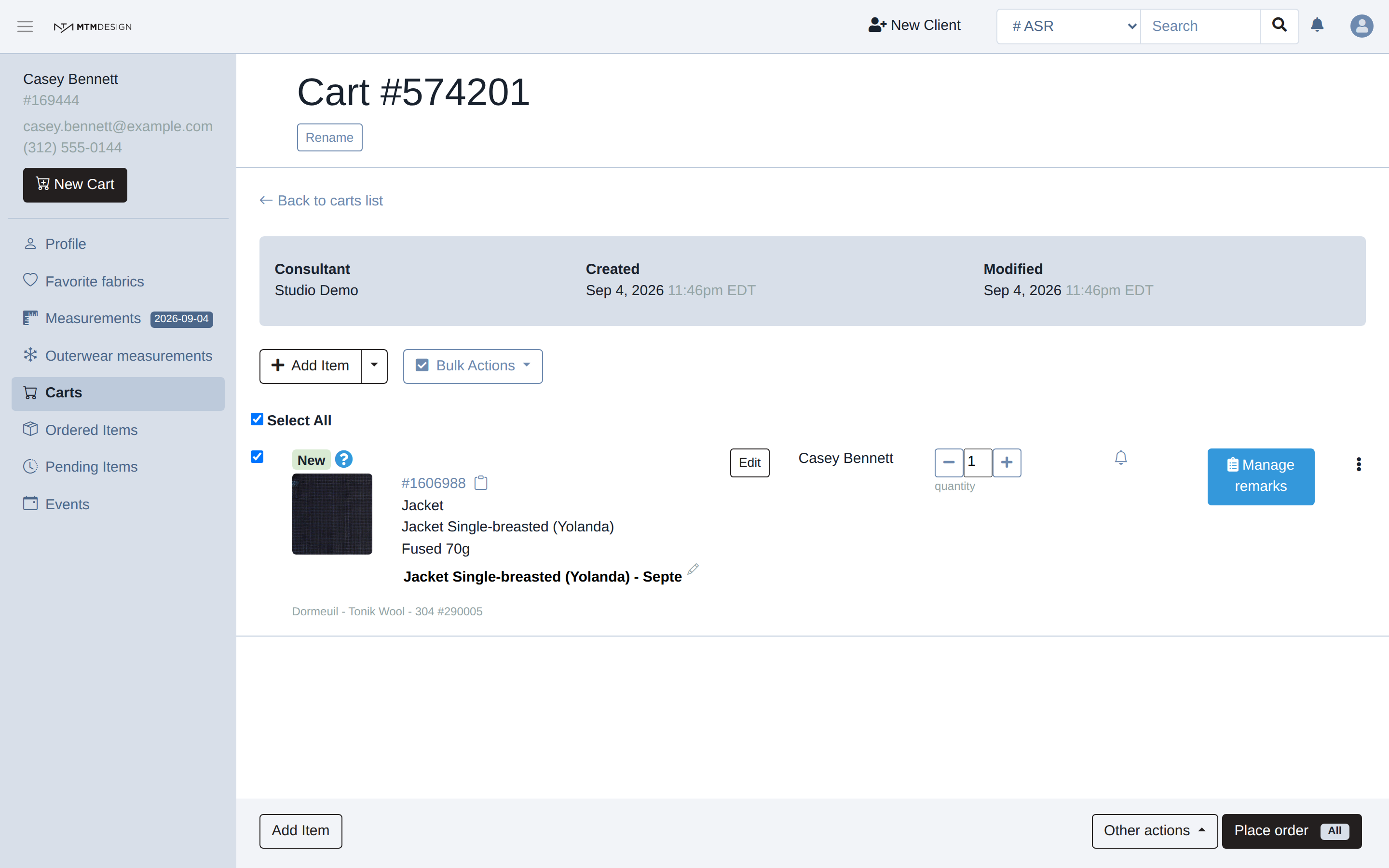
You can order before or after taking the measurements. An item that still needs something carries a red triangle on its row, and clicking the triangle says what is missing. That item cannot go into production until you fix it, so the sooner you look, the less the client waits. The usual causes are missing measurements, a missing height or weight, and a required design choice left empty. A measurement outside the usual range for the garment is flagged on the measurement page, but it does not stop the order.
The order page
The order goes through and its own page opens.
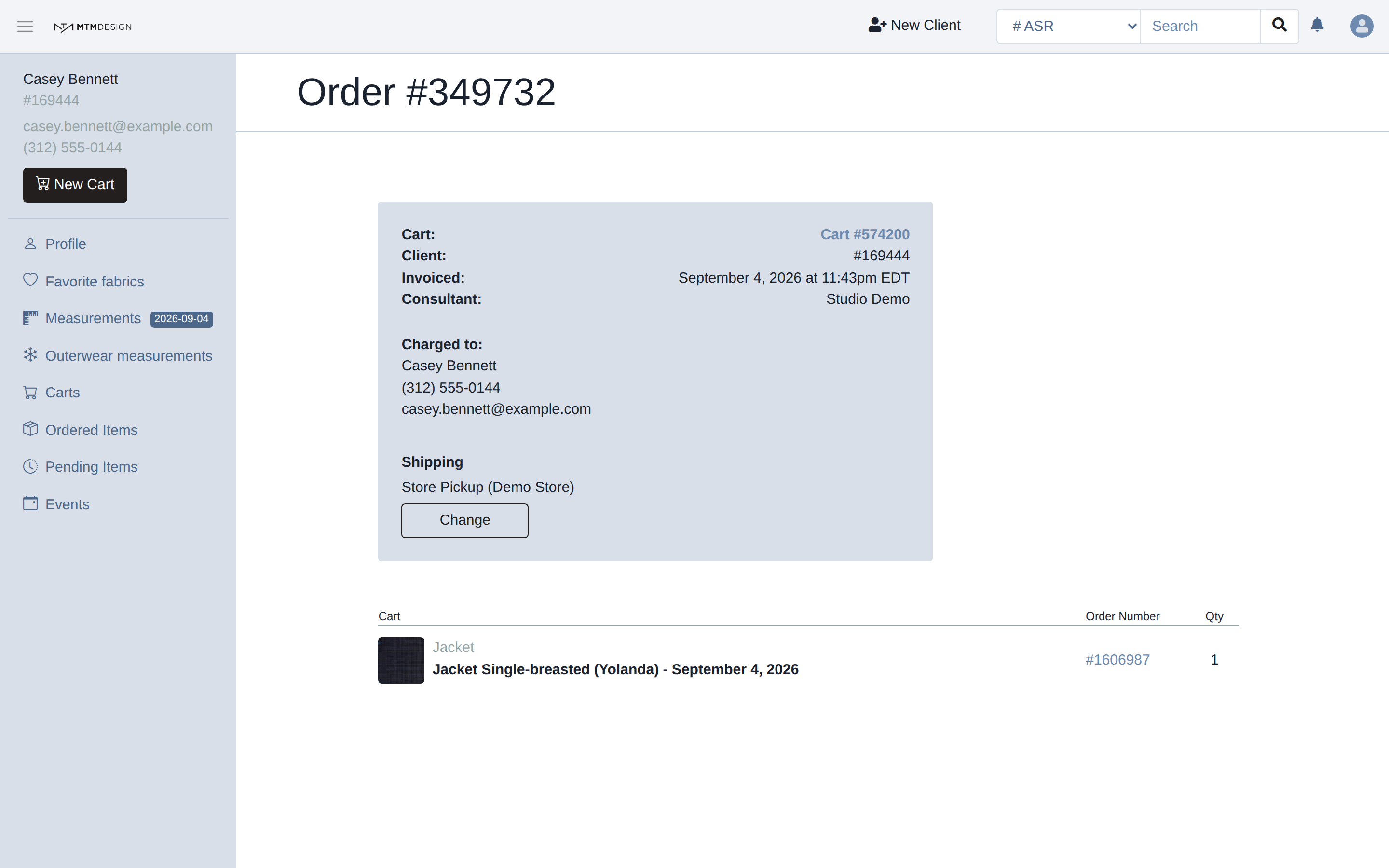
Three things on it are worth knowing. Each garment gets its own order number. While the order is queued it is the item's own number, and once we take the order it becomes an ASR number, which is the one to give us when you write about the garment. Shipping says where the finished garments will go, and Change sends them somewhere else. The page also names the cart, the date and the consultant, so you can trace the order later.
Stores whose brand uses our invoicing module see more on this page: a total, a payment button and a way to send the invoice to the client. If your brand does not use it, none of that appears, and nothing is missing from your order.
What happens to the item
Back in the cart, the item's status has moved from New to Queued.
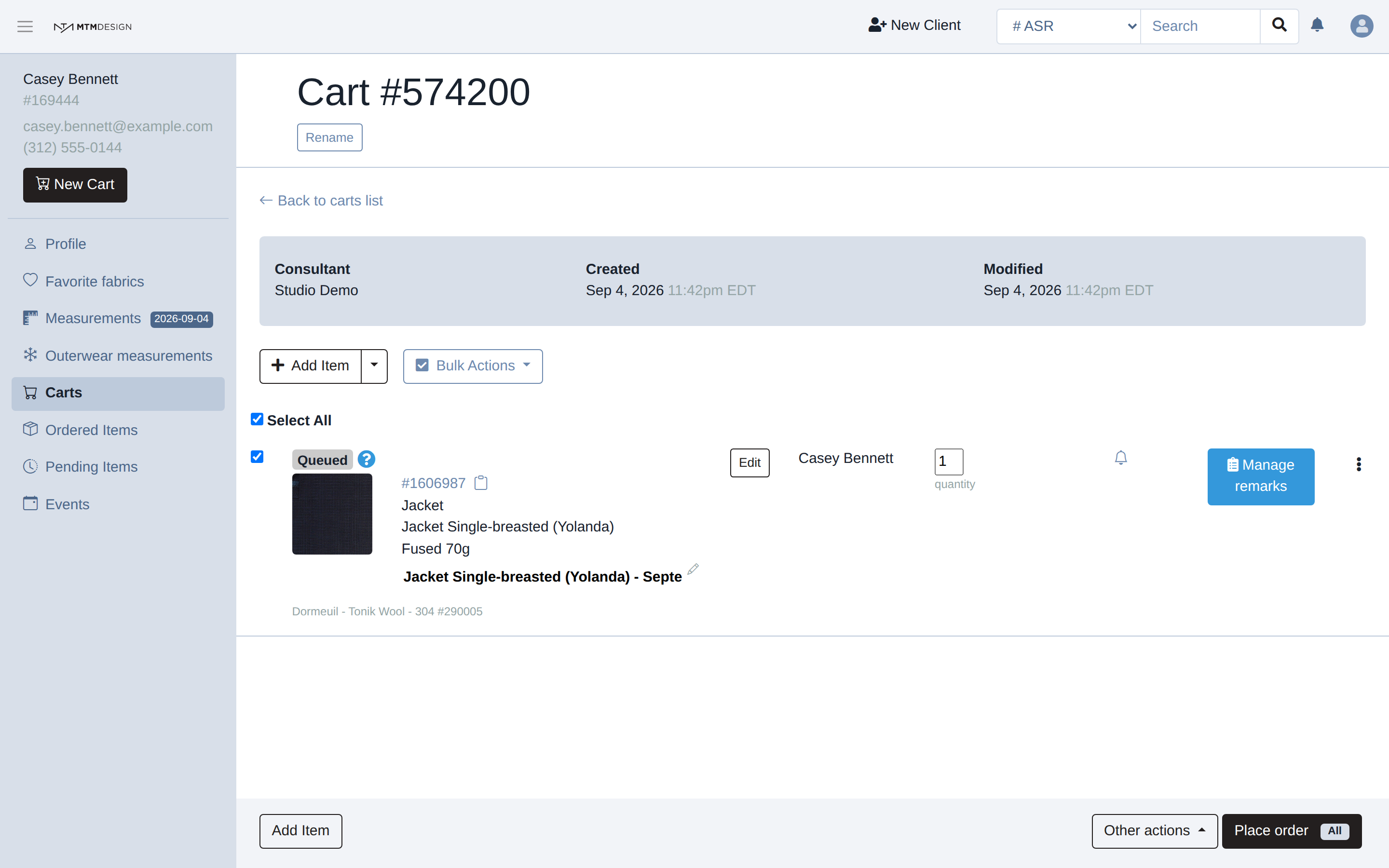
Queued means we have the order but the maker has not started it. You can still open the item and change the design or the measurements while it sits there. Once the status moves to pre-production or production, the garment is being made and nothing can be changed from the Studio any more, so anything you notice after that has to go through us.
Was this article helpful?
That’s Great!
Thank you for your feedback
Sorry! We couldn't be helpful
Thank you for your feedback
Feedback sent
We appreciate your effort and will try to fix the article